Main area
Enter the data and press Calculate

Calculate rhombus area from diagonals or from side and angle. Includes perimeter and height.
Calculate with diagonals, side + height, or side + angle. Includes unit conversion, perimeter, and formulas.
The rhombus is drawn to relative scale with its perpendicular diagonals and one reference side.
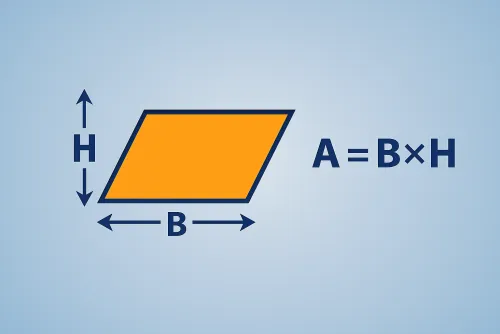
The area of a rhombus can be obtained in several ways depending on the data you have. With the diagonals, simply multiply them and divide by two. If you know the side and the height, the area is the direct product of both. With the side and an interior angle, the formula relies on the sine of that angle.
Our calculator converts every magnitude to metres under the hood, but it displays the final values in the unit you pick. This makes it easy to switch from millimetres to feet or inches, and also see the resulting perimeter, height, diagonals, and acute angle.
Imagine a rhombus with diagonals of 14 cm and 9 cm. The area is \( A = (14·9)/2 = 63\ ext{cm}^2 \). From them we obtain a side of 8.3 cm, a perimeter of 33.1 cm, and a height of 6.9 cm. The calculator repeats the same process for any combination of data and adjusts the conversions so you can document your exercises.
Use \( A = (d_1·d_2)/2 \) when both diagonals are known. With side and height, simply multiply: \( A = a·h \). If you have the side and an interior angle, apply \( A = a^2·\sin( heta) \); the tool automatically applies the correct formula based on the method you select.
Enter lengths in meters, centimeters, millimeters, inches, or feet. The calculator converts everything to meters to avoid errors and then outputs the main area in the chosen unit² along with conversions to mm², cm², m², in², and ft².
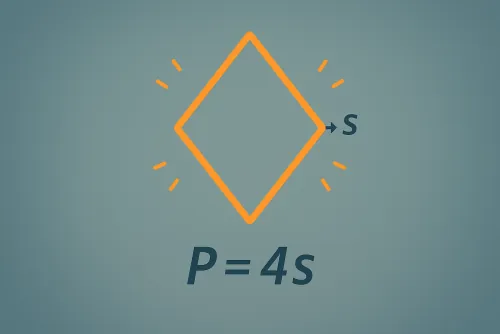
Yes. From the data you enter, the tool completes perimeter \( P = 4a \), height, acute angle, and both diagonals. You can copy everything with the “Copy results” button for quick documentation.
Improve this calculator
Send us the example so we can review this calculator and turn real cases into improvements or automated tests.