Main area
Enter your data and press Calculate

Calculate triangle area, perimeter, altitudes and type from base-height, Heron, two sides and angle or coordinates.
Compute area, perimeter, heights, and classify the triangle using base and height, three sides (Heron), two sides plus included angle, or Cartesian coordinates.
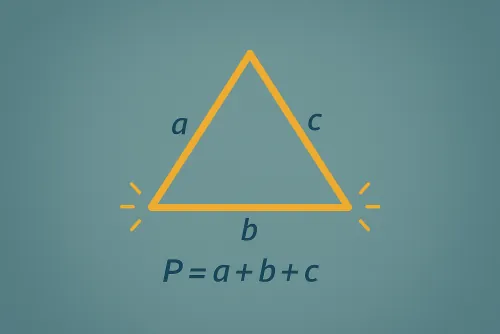
The triangle is drawn to relative scale with a reference base, height and side.
Base–height relies on A = (b · h) / 2; three sides uses Heron’s formula; two sides plus the included angle uses A = (a · b · sin θ) / 2; and the coordinates mode applies the shoelace formula, taking the absolute value to keep the area positive.
The calculator expects degrees. If you have radians, convert them by multiplying by 180/π before entering the value so the area stays consistent.
We apply the coordinate determinant: area is computed from x₁y₂ + x₂y₃ + x₃y₁ − (y₁x₂ + y₂x₃ + y₃x₁) and we take the absolute value/2, so the result is correct whether the points are clockwise or counterclockwise.
Results include side-based classification (equilateral, isosceles, or scalene) and angle-based classification (acute, right, or obtuse), shown alongside perimeter, semiperimeter, and heights.
The “Copy results” button sends every magnitude and conversion with the chosen unit and decimal precision to your clipboard. Paste it into a report or document without losing formatting.
Improve this calculator
Send us the example so we can review this calculator and turn real cases into improvements or automated tests.