Main perimeter
Enter data and press Calculate

Compute circumference (perimeter) from radius or diameter. Includes configurable π, unit conversions and decimals.
Find the circumference from radius, diameter or even a known area.
Get the main perimeter plus equivalent radius and diameter, and convert every result to mm, cm, m, in and ft with your preferred decimals.
| Value | Result |
|---|---|
| Radius | — |
| Diameter | — |
| Circumference | — |
| Area | — |
| Input unit | — |
| Formula used | — |
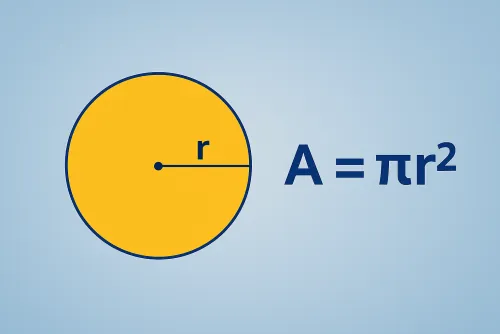
The perimeter of a circle is its circumference. You get it by multiplying the radius by two and by π. If you start from the diameter, divide it by two to recover the radius before multiplying by 2π. When you know the area instead, find the radius by taking the square root of the area divided by π and then compute the perimeter.
The calculator follows the same path for you: it normalises units to metres, derives the missing values (radius, diameter, circumference and area) and shows the perimeter in the unit you prefer, so you can move between millimetres, feet or inches without extra conversions.
Take a circle with a 4.2 cm radius. The perimeter is \( C = 2·π·4.2 ≈ 26.389\ \text{cm} \). The tool also returns the diameter (8.4 cm) and the equivalent area if you need it. Everything can be copied in one click for your notes.
Multiply the radius by 2π when that’s the value you have. If you know the diameter, apply π after dividing it by two. And if you start from an area, first take the square root of the area divided by π to obtain the radius and then multiply by 2π. The calculator picks the right route based on the selected mode.
Yes. Choose the method, type the value and unit, and the results card shows the main perimeter along with radius, diameter, matching circumference and, when applicable, the derived area.
You can work in metres, centimetres, millimetres, inches or feet. Outputs are converted automatically to mm, cm, m, in and ft, and you may set 0–10 decimals while choosing between native π, the 22/7 approximation or your own custom value.
Improve this calculator
Send us the example so we can review this calculator and turn real cases into improvements or automated tests.